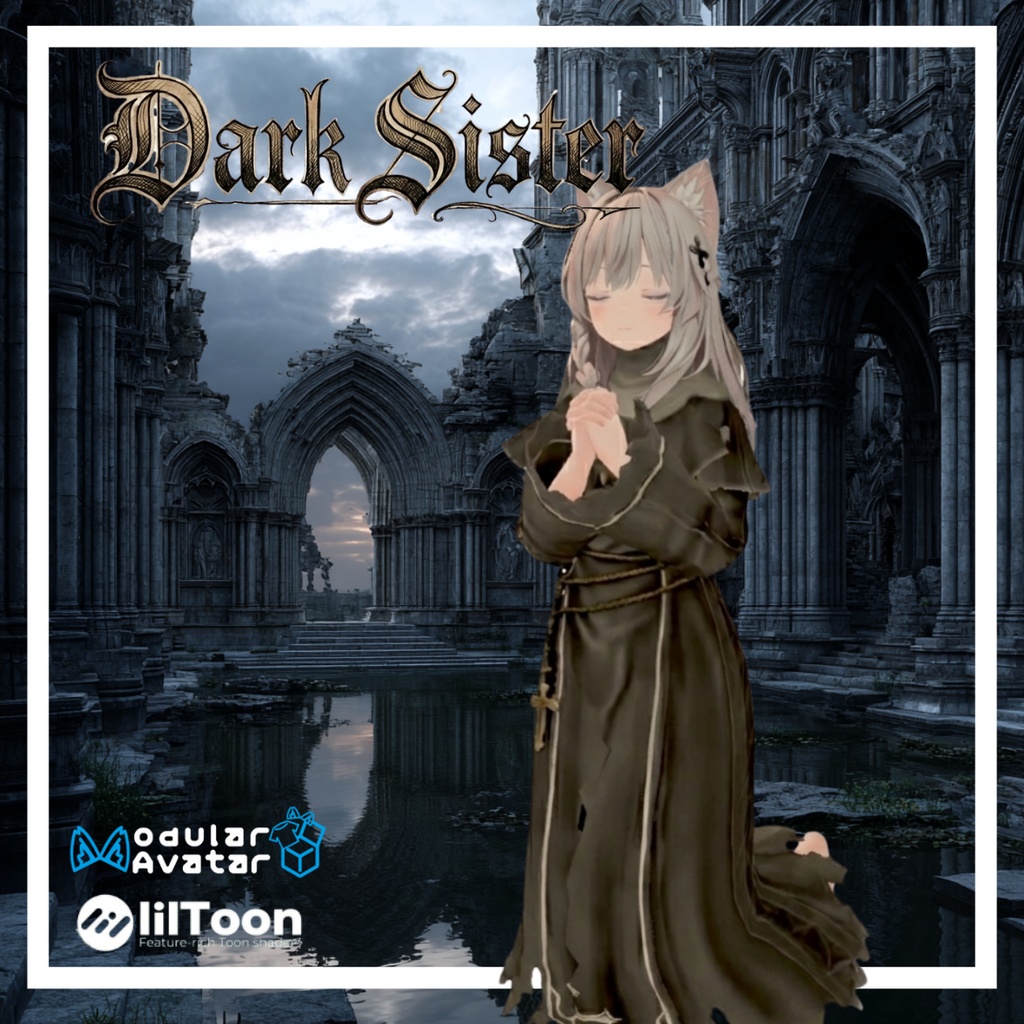
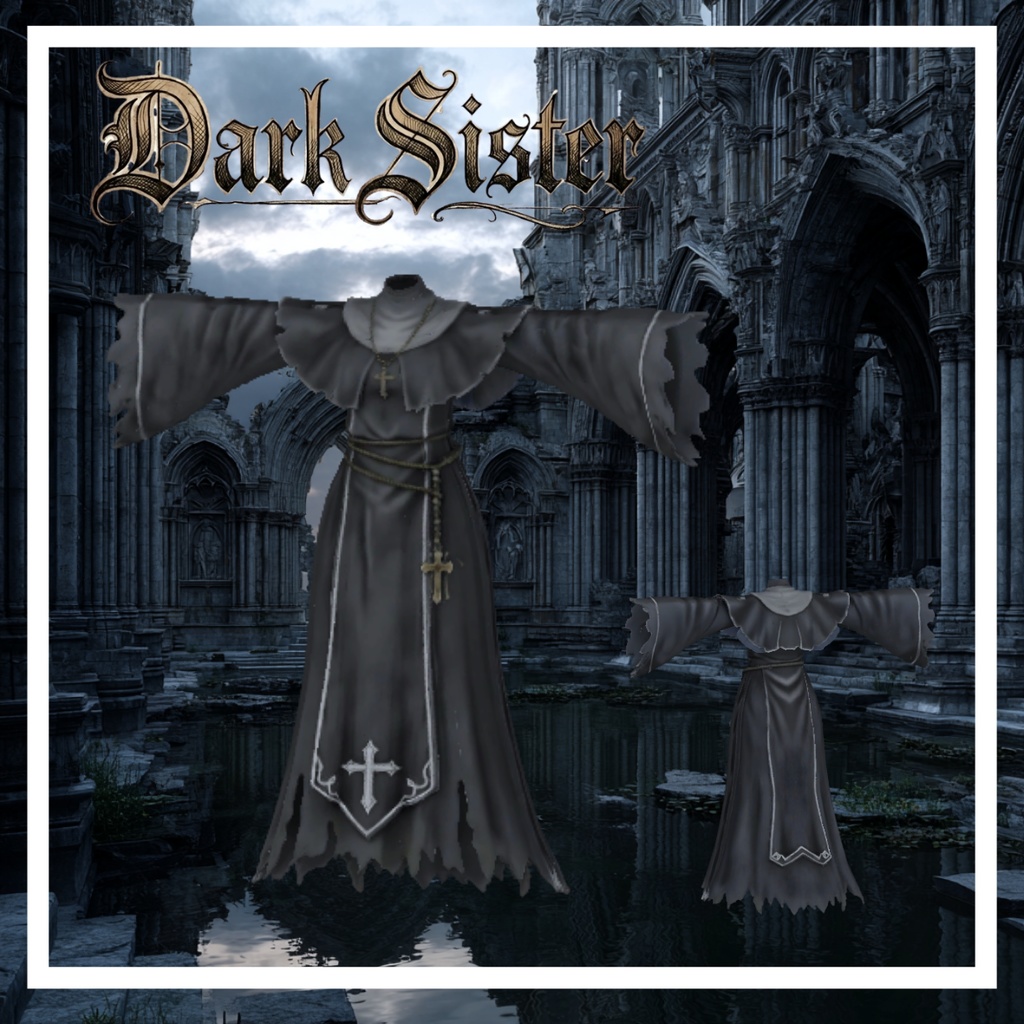
Dark Sister - ダークシスター -
- ダウンロード商品¥ 690
📦 商品内容 本製品はUnity package形式でのご提供となります。パッケージ内には以下のデータが含まれております。 セットアップ済みPrefabデータ (Modular Avatar対応設定済みのため、そのままご使用いただけます) モデルデータ (FBX形式・ボーン設定済み) テクスチャ画像 (PNG形式) ⚠️ ご注意事項 本商品にアバター本体は付属いたしませんので、あらかじめご了承ください。 🧩 商品仕様・動作環境 本製品の仕様および動作環境は以下の通りです。 動作確認済みUnityバージョン:2022.3.22f1 VRChat上での動作確認済み 対応シェーダー:lilToonを想定して設定しております。 ポリゴン数:約70,000 VRChat上のダウンロードサイズ目安:約8MB 🛠️ 導入方法 以下の3ステップにて導入が完了いたします。 ステップ1:必要ツールのインポート あらかじめUnityプロジェクトに、以下の最新版ツールをインポートしてください。 lilToon https://booth.pm/ja/items/3087170 Modular Avatar https://modular-avatar.nadena.dev/ja ステップ2:パッケージのインポート ダウンロードされた本商品のUnitypackageファイルを、Unityプロジェクトへインポートします。 ステップ3:装着 同梱されているPrefabデータを、ヒエラルキー(Hierarchy)上にある対象のアバターへドラッグ&ドロップしてください。Modular Avatarにより自動で着せ替え処理が行われます。 📦 Package Contents This product is provided as a Unity package. The following data is included: *Pre-configured Prefabs (Compatible with **Modular Avatar** for easy setup.) Model Data (FBX format, fully rigged.) Textures (PNG format.) Please Note: The avatar models themselves are not included in this package. --- 🧩 Product Specifications & Requirements Confirmed Unity Version: 2022.3.22f1 VRChat: Operation confirmed. Supported Shader: Pre-configured for lilToon. Polygon Count: Approx. 70,000 Estimated Download Size (VRChat): Approx. 8MB --- 🛠️ Installation Guide You can set up the costume in 3 easy steps: Step 1: Import Required Tools Please ensure the latest versions of the following tools are imported into your Unity project beforehand: lilToon https://booth.pm/ja/items/3087170 Modular Avatar https://modular-avatar.nadena.dev Step 2: Import the Package Import the downloaded `.unitypackage` file into your Unity project. Step 3: Attachment Drag and drop the included Prefab onto your avatar in the Hierarchy. Modular Avatar will automatically handle the attachment process. ---
利用規約
本モデルを購入、ダウンロード、インストール等の利用の開始時点で以下を同意したものとみなします。 改変:OK 商用利用:OK(本モデルを使用した配信活動など) 再配布、再販売:NG(改変の有無に関わらず禁止) 自作発言:NG 公序良俗に反する使用、政治的・宗教的活動での使用:NG
更新履歴
2025/12/27 利用規約追加
【重要】AI生成技術の使用および権利に関する表記
本商品は、制作プロセスの一部(テクスチャ生成・メッシュの基礎生成など)において、画像生成AIおよび3D生成AI技術を使用しております。 ■権利侵害に関する宣言 生成にあたっては一般的な概念を表すプロンプトのみを使用しており、特定のクリエイター様の作品や画風を意図的に模倣した事実は一切ございません。 生成されたデータは、制作者(お父さんクリエーション)の手によりBlender/Unity等を用いて修正・最適化・セットアップを行ったオリジナルの成果物です。 安心してお使いいただけるよう、権利関係には細心の注意を払って制作しております。 [Important] Notice Regarding AI Usage and Intellectual Property Rights This product utilizes image generation AI and 3D generation AI technologies for parts of the production process, such as texture generation and base mesh creation. ■ Declaration of Non-Infringement and Originality We strictly utilize prompts representing general concepts only. We do NOT intentionally mimic, rely on, or copy any specific creator's works or artistic styles. The final data is an original work that has been manually modified, optimized, and set up by the creator (Otosan Creation) using tools such as Blender and Unity. We pay the utmost attention to intellectual property rights to ensure that you can use our products with peace of mind.